Add ADAS Calibration Line
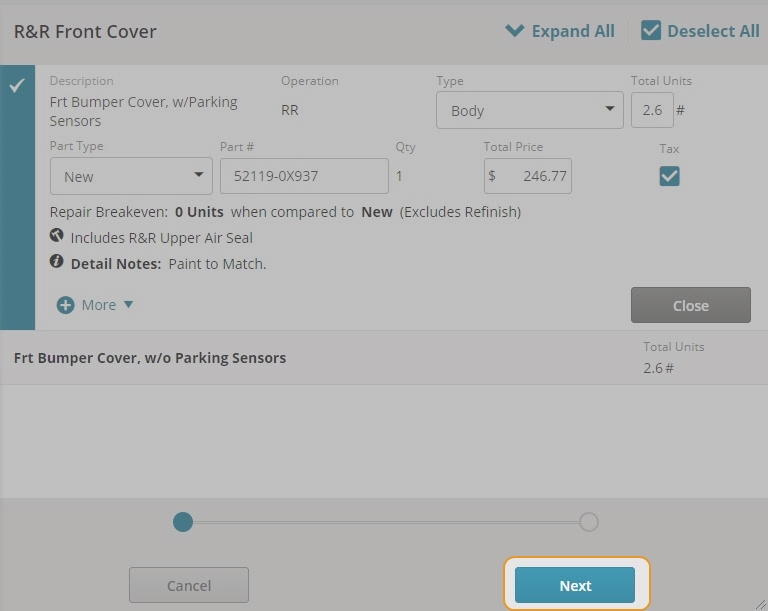
When selecting a part that may require an Advanced Driver Assist System (ADAS) calibration, Mitchell Cloud Estimating allows you to add the associated ADAS Calibration line to the estimate in the same step. The recommended calibration line is only added to the estimate if you select it.
To add the recommended calibration procedure to the estimate, follow the instructions below:
-
Click Next to view the recommended Labor/Parts operations.
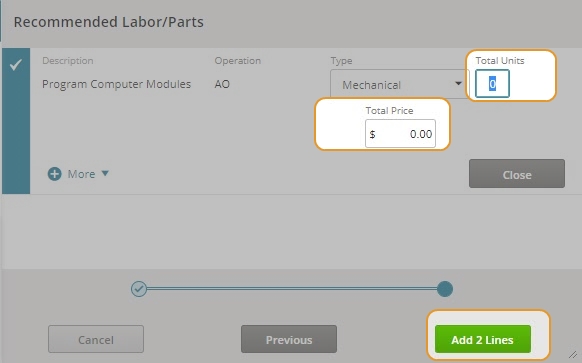
- Enter the Total Units and Total Price for the calibration line.
- Click Add Lines when you are finished making changes.
-
Click the Estimate
 icon to view the new line on the estimate.