Parts Audit List
Use the Parts Audit List to determine if more cost-effective parts are available for the parts used in the estimate. The Parts Audit List shows additional alternate parts available for the Remove & Repair parts that the appraiser selected.
How to
 Use Parts Audit List
- Navigate to the desired estimate's details page. See View Estimate Details for more information.
- In the claim navigation pane, select Estimate > Parts Audit List.
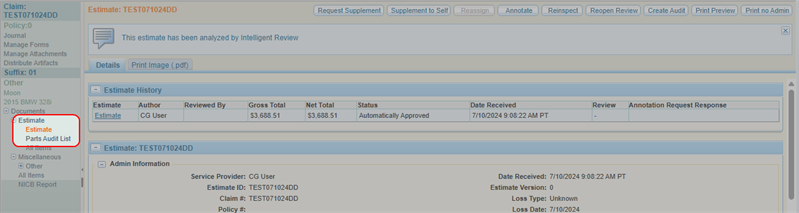
-
In the Parts Audit List window, view a summary of the parts in the estimate.
Note: By default, the Parts Audit List shows only exceptions. Clear the Show Exceptions Only check box to show all parts in the estimate.
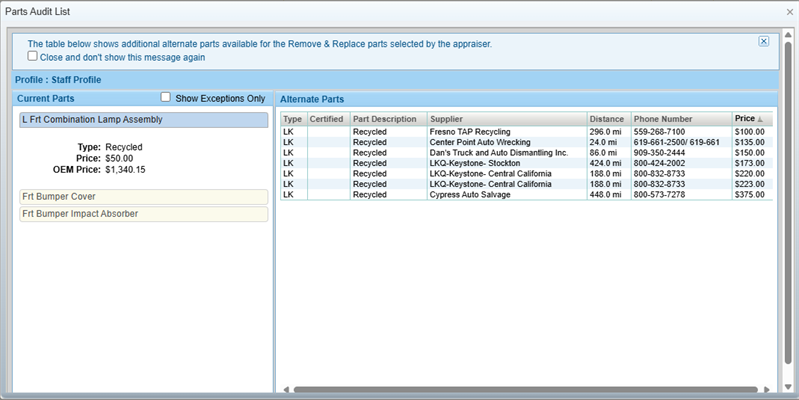
-
Select a part from the Current Parts column on the left. The Alternate Parts column on the right shows a list of alternate parts available for that part's Remove & Replace operation.
View Parts Audit List from Estimate Annotation Page
- Navigate to the details page of an estimate.
- Select Annotate.
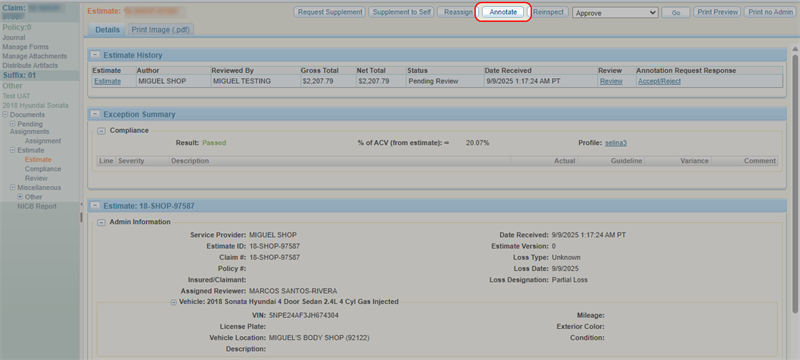
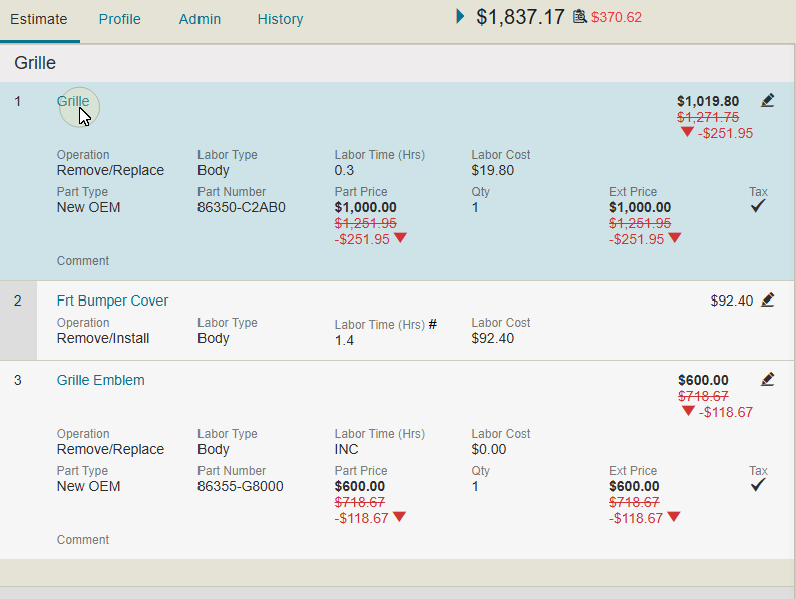
- Estimate line items that have alternate parts have a
 next to the part number. Select to open the Parts Audit List window.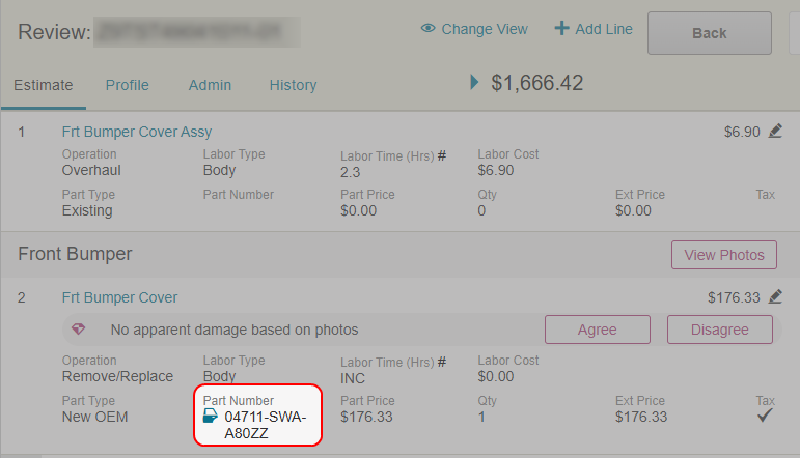
View Parts Audit List from Estimate Annotation Window
- Navigate to the details page of an estimate.
- Select Annotate.
- Select the line item you want to edit.
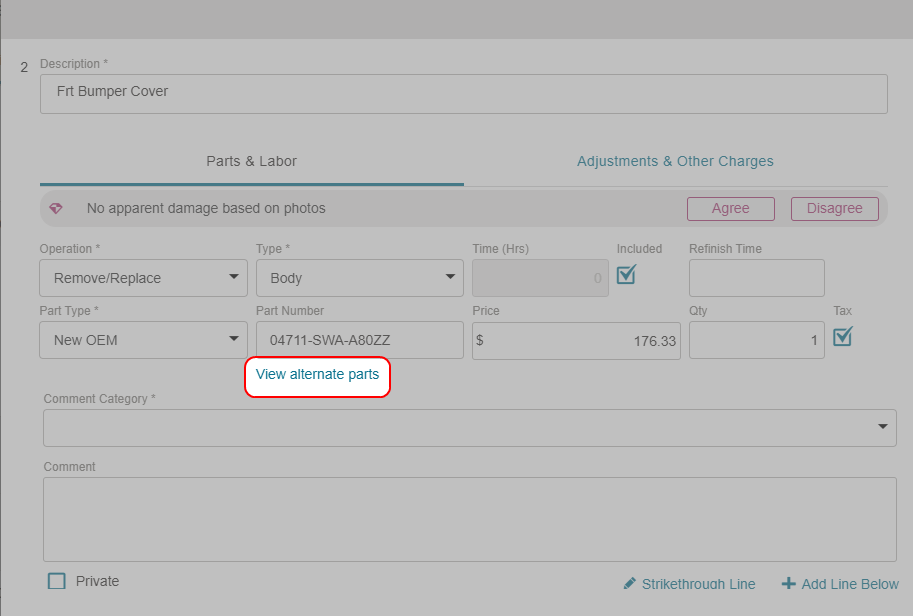
- In the Annotation window, select View Alternate Parts to open the Parts Audit List window.
Reference
Parts Audit List Window
| Name | Description |
|---|---|
| Profile | The Alternate Parts Profile in Mitchell Cloud Estimating that was used to create the estimate. |
| Current Parts |
The list of the parts being used in the estimate. |
| Alternate Parts | The list of alternate parts that are available instead of the current part that is selected. |
| Show Exceptions Only | Select the check box to show only instances where the least expensive part was not chosen. |
