View the Suffix Activity Log
The Activity tab on the Suffix Details page shows a record of each action that has occurred within the suffix, including how the suffix was created, what has been uploaded, and the various status changes. Use the Activity Log to track assignment related changes and more throughout the claims process.
Note: You cannot modify the suffix from the Activity tab. The tab is read-only and displays a history of events that have occurred.
How to
 View the Suffix Activity Log Tab
- Navigate to the detail's page of the desired claim.
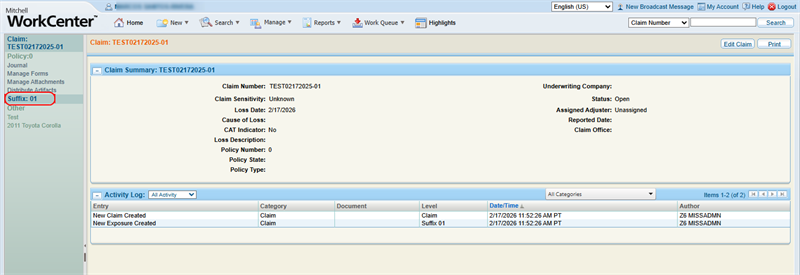
- In the claim navigation pane, select the Suffix Number.
- Select the Activity tab.
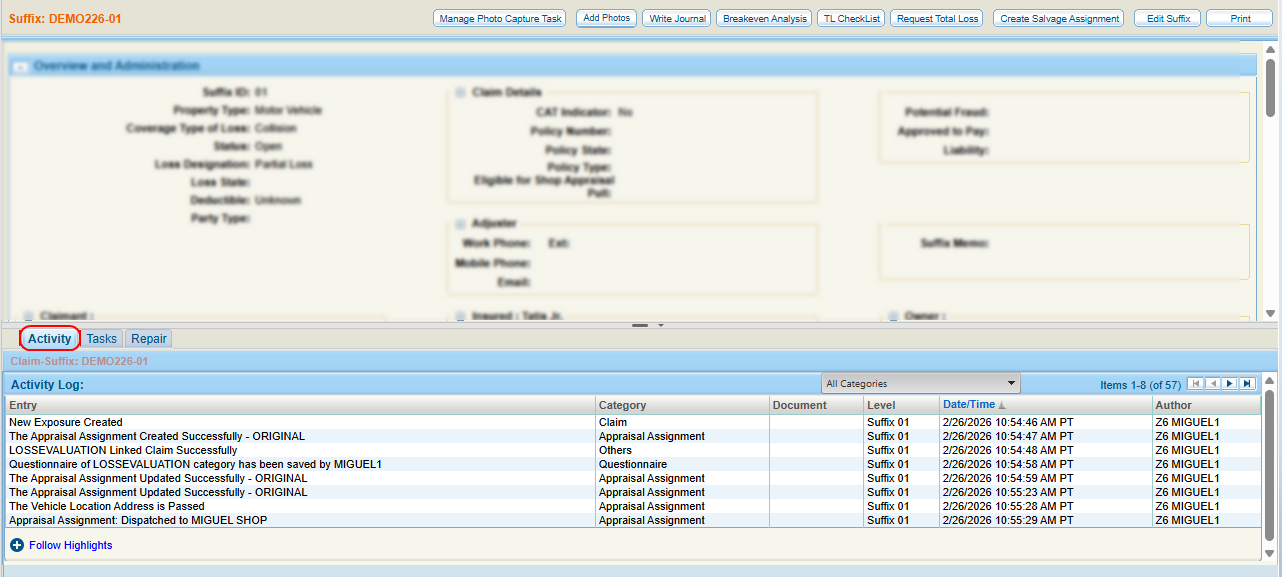
- View the suffix activity log.
- As needed, select column headings to sort the list and use the page navigation to view the desired event(s).
Reference
Suffix Activity Log Column Descriptions
| Name | Description |
|---|---|
| Entry | A description of the action taken on the claim. |
| Category | What category (Claim, Assignment, etc.) the action belongs to. |
| Document | Any documents that were added/changed during the action. |
| Level |
The level (the whole claim or a specific suffix) associated with the activity. |
| Date/Time | The date and time the activity occurred. |
| Author | The user who performed the action. |
Related topics
