Open a Claim-Suffix, Task, or Assignment from the Integrated Work View
The Integrated Work View is a customizable dashboard displaying work items from across WorkCenter. Each Work View is a list of items whose display is customized through the use of filters.
How to
 Open a Claim, Suffix, Estimate, or Assignment from the Integrated Work View
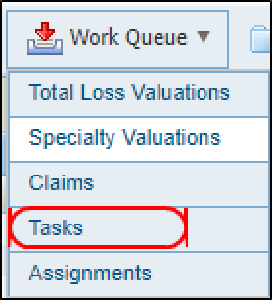
- On the Work Queue menu in the navigation bar, select Tasks to open the Integrated Work View page.
- Use the available filters to limit the Work View list to only those items you want. You can also customize what columns are shown in the list and in what order they appear. See Integrated Work View for more information.
- Select any column heading to sort the list. A
 next to the column heading indicates ascending order. A
  next to the column heading indicates descending order.
 - Select the item you want to open:

- To open a claim, select the Claim Number.
- To open a suffix, select the Suffix number.
- To open an assignment or an estimate, select Appraisal Assignment or Estimate in the Task Type column.
Note: If there are more than 50 items in the list, you may need to use the page navigation controls to find the item you want.
Related topics
