Request a Supplement
If you find that you need more information while reviewing the estimate, you can request a supplement. When you send a supplement request, the assignment is returned to the appraisal resource with the changes that were made during the estimate annotation process. The resource then makes those changes and sends the claim back for approval.
How to
 Request a Supplement from the Estimate Detail's Page
- Navigate to the details page of the estimate you want to supplement.
- Select Request Supplement.
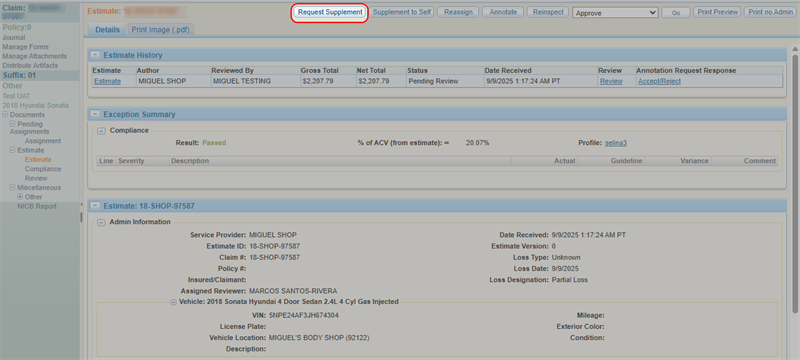
-
Select Continue to import existing claim-suffix information into your request.
Note: You can also select Cancel if you do not want to import any existing information. If you do this, you will have to follow the steps to create a new assignment. See Create an Assignment for more information.
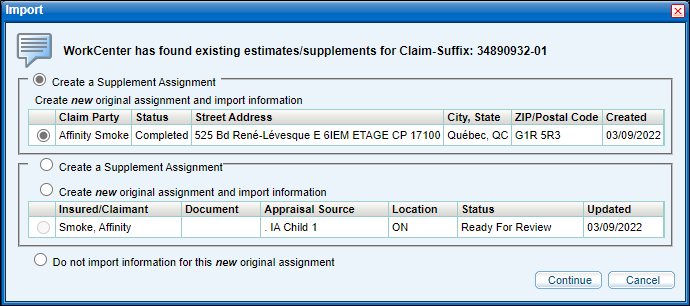
-
Enter/revise the claim's information as needed.
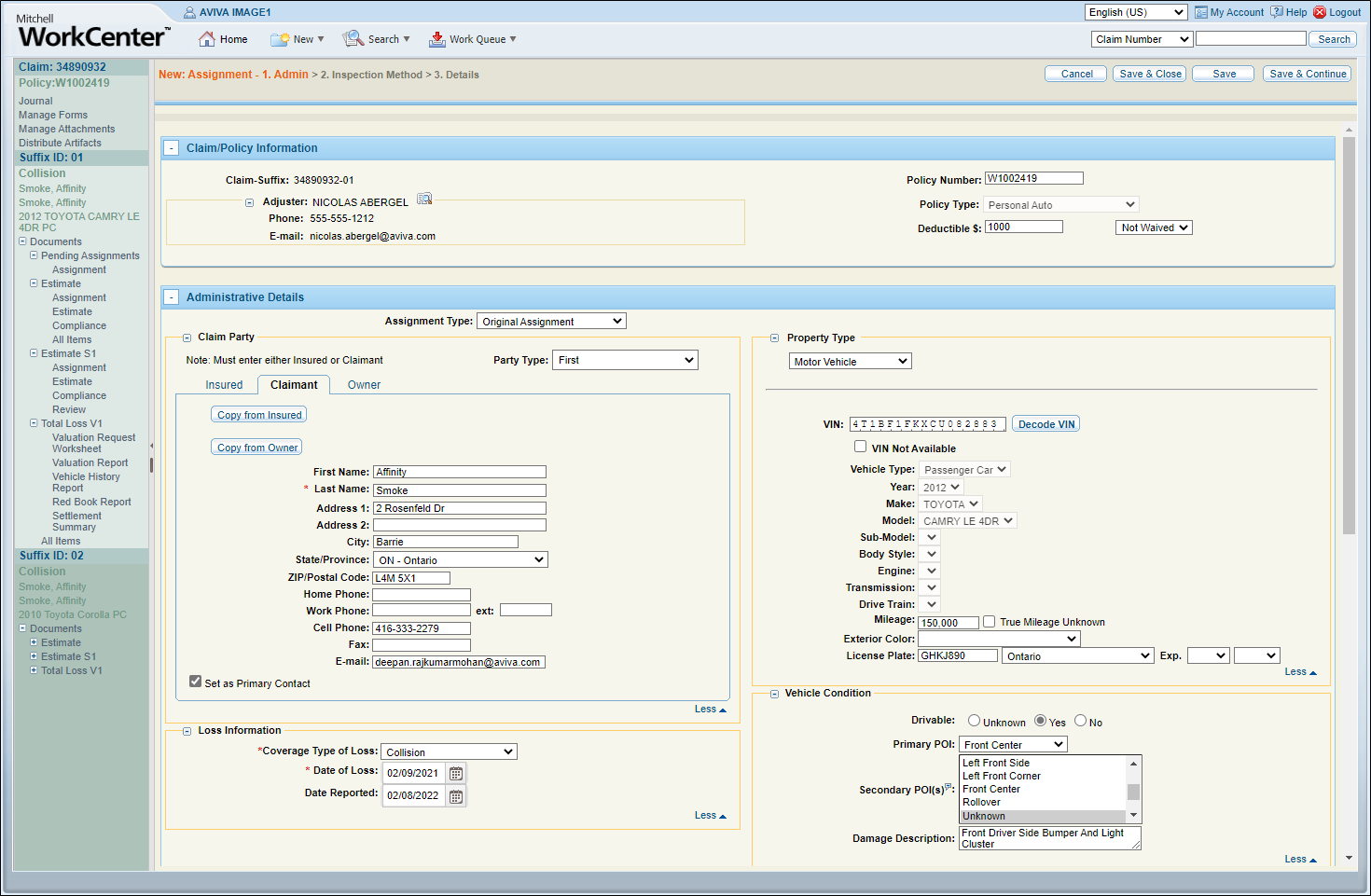
-
Select Save & Send.
Request a Supplement from the Estimate Review/Annotations Page
- Navigate to the details page of an estimate.
- Select Annotate.
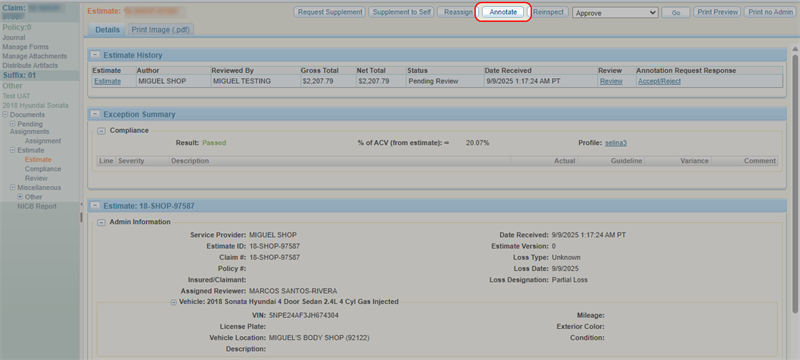
-
Select
 in the top right corner.
-
Select Request Supplement.
-
Select Continue to import existing claim-suffix information into your request.
Note: You can also select Cancel if you do not want to import any existing information. If you do this, you will have to follow the steps to create a new assignment. See Create an Assignment for more information.
-
Enter/revise the claim's information as needed.
-
Select Save & Send.
Related topics
