Reassign an Estimate for Review
You can reassign estimates as needed based on your availability or job tasks.
How to
 Reassign an Estimate from the Work Queue
Note: This is one method for finding and reassigning estimates. You can also find assigned estimates from the Integrated Work View page. See Integrated Work View Page for more information.
-
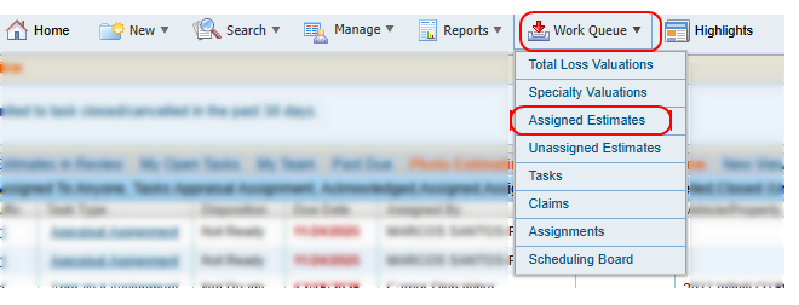
On the Work Queue menu in the navigation bar, select Assigned Estimates.
-
Select the check box to the left of the desired estimates.

-
At the bottom of the page, select Reassign.

-
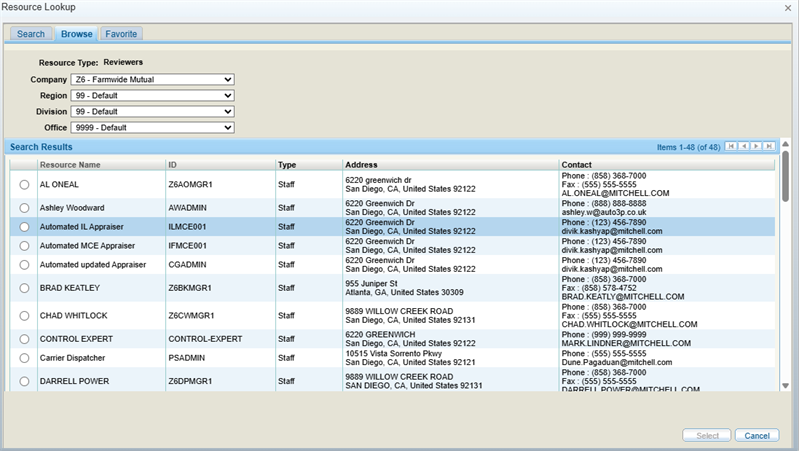
Select a review agent from the Resource Lookup window that displays. You can search for a particular agent, browse all agents, or select one from your favorites.
Note: To review an estimate yourself, assign it to yourself for review and then locate the estimate in the My Open Tasks tab. See Access Review Tasks for more information.
-
Click Select to reassign the estimate.
Reassign an Estimate from the Review Page
-
Navigate to the claim information page of the desired estimate.
-
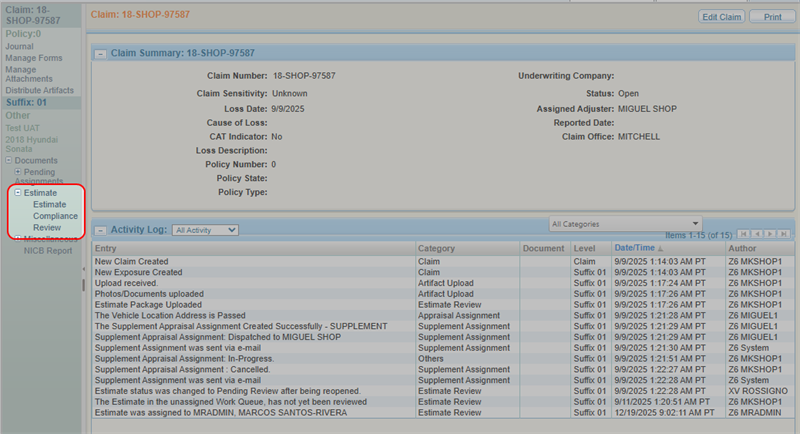
From the claim navigation pane, select Estimate > Review.
-
On the Estimate Review page, select
 in the top right corner.
-
Select Reassign.
-
Select a review agent from the Resource Lookup window that displays. You can search for a particular agent, browse all agents, or select one from your favorites.
Note: To review an estimate yourself, assign it to yourself for review and then locate the estimate in the My Open Tasks tab. See Access Review Tasks for more information.
-
Click Select to reassign the estimate.
Reassign an Estimate from the Estimate Details Page
-
Navigate to the details page of an estimate.
-
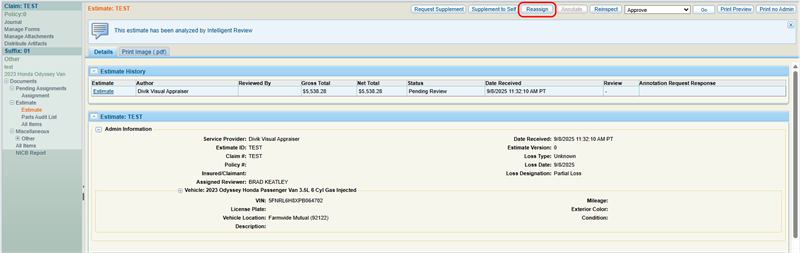
Select Reassign.
-
Select a review agent from the Resource Lookup window that displays. You can search for a particular agent, browse all agents, or select one from your favorites.
Note: To review an estimate yourself, assign it to yourself for review and then locate the estimate in the My Open Tasks tab. See Access Review Tasks for more information.
-
Click Select to reassign the estimate.
Related topics
