Use Intelligent Review
If you have access to Mitchell Intelligent Review, you can use the suggestions made by AI to assist you in your review of an estimate. Intelligent Review uses AI to analyze an estimate's photos and evaluate if the estimator's damage assessment and repair decisions are appropriate.
How to
 View Estimates That Have Intelligent Review Feedback
- On the Work Queue menu in the navigation bar, select one of the following:
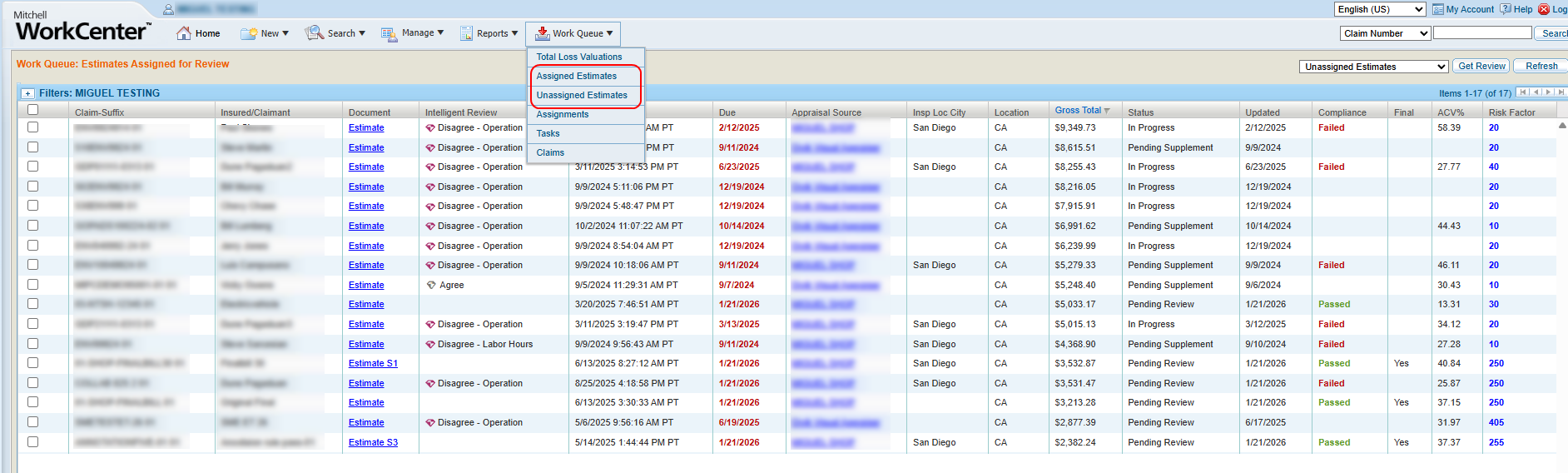
- Select Unassigned Estimates to view a list of unassigned estimates.
- Select Assigned Estimates to view a list of estimates that have been assigned for review.
Note: Estimates that have been analyzed by Intelligent Review have a diamond and a brief description of the review's findings in the Intelligent Review column of the list.
- Optionally, use filters to show only estimates with a certain Intelligent Review Status.

-
Select the desired estimate to open its details page.
-
Navigate to the Estimate Review page.
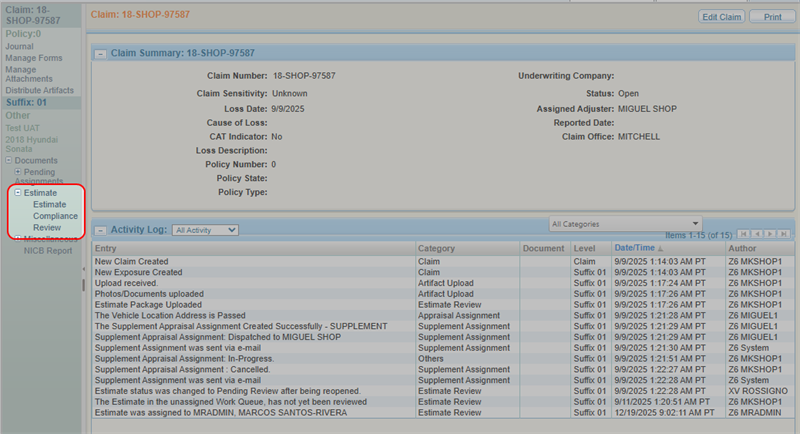
Use Intelligent Review Feedback While Reviewing an Estimate
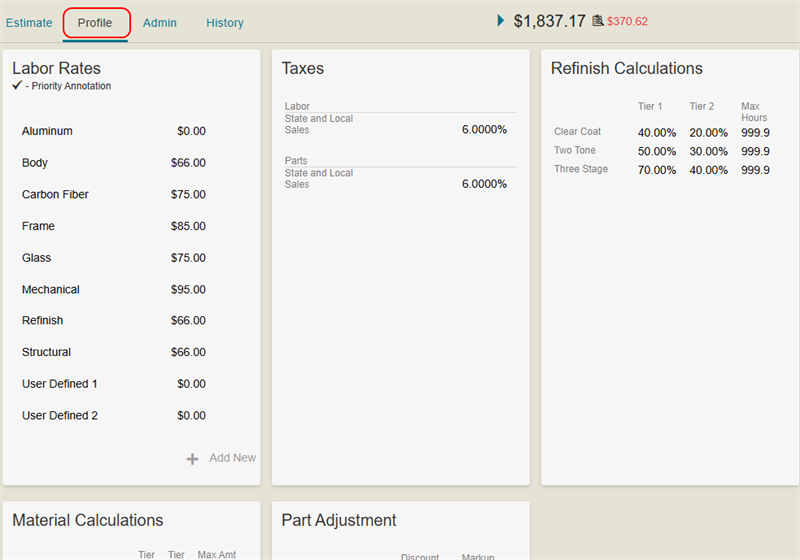
- Navigate to the Estimate Review page of the desired estimate.
- Select the Estimate tab.
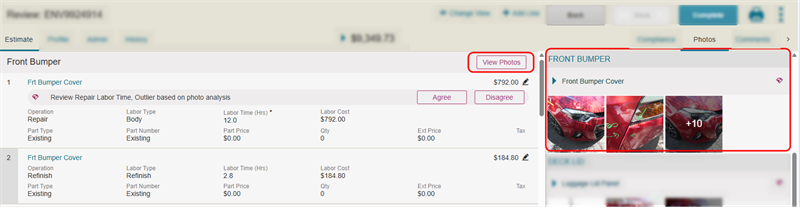
- Scroll to view the line item(s) that have Intelligent Review feedback.
- Select View Photos on a line with Intelligent Review feedback to view the photos associated with that line in the Photos tab.
-
Review the photos and determine whether you agree with the change(s) suggested by Intelligent Review.
Tip: Photo sections used by Intelligent Review have a purple diamond next to the section name.
Agree With and Incorporate Labor Hours/Rate Changes
If you agree with a labor hours/rate change suggested by Intelligent Review:
- Select Agree.

- In the Annotation window, edit the labor information as necessary.
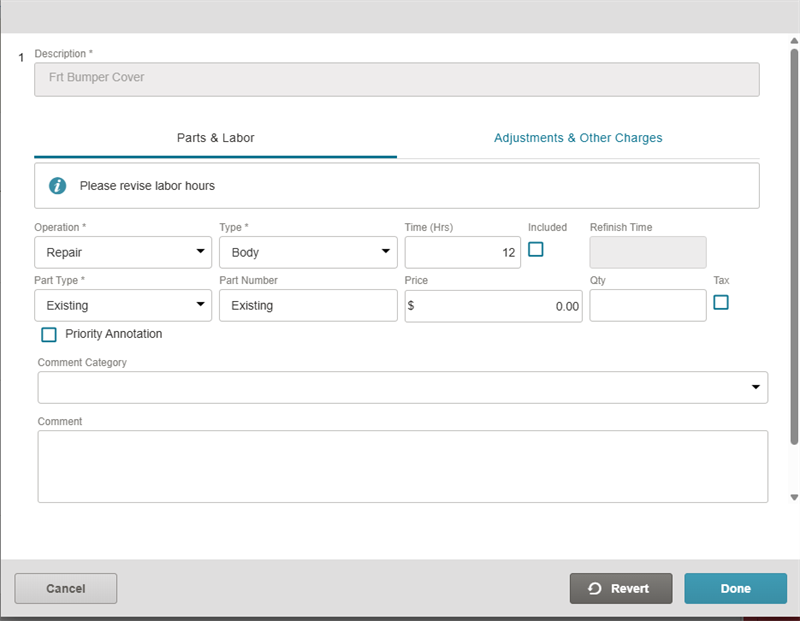
- Select Done.
Agree With and Incorporate Operation Changes
If you agree with an operation (Repair vs. Remove and Replace) change suggested by Intelligent Review:
- Select Agree.

-
In the Annotation window, make sure all information for the operation change is correct.
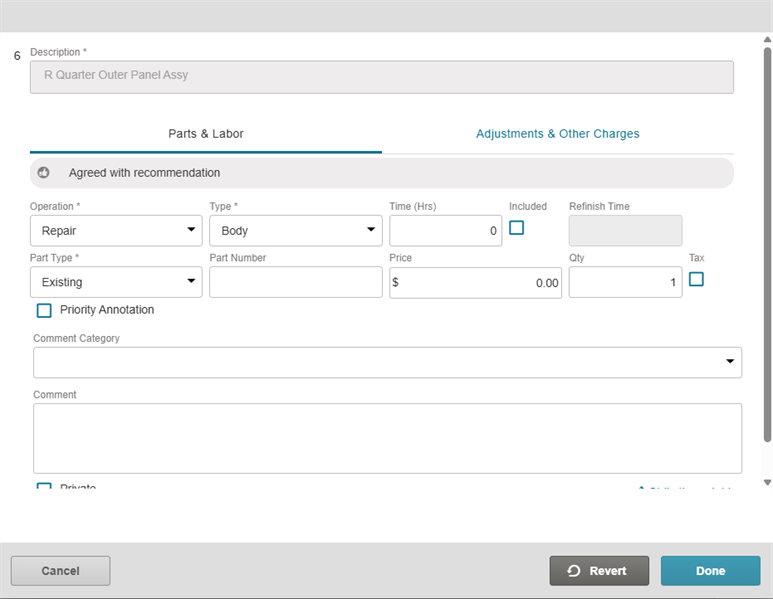
-
Select Done.
The operation is automatically changed and the estimate is annotated as necessary according to the change.
Disagree With and Reject Intelligent Review Feedback
If you disagree with a change suggested by Intelligent Review:
- Select Disagree to reject the changes.

Reference
Intelligent Review Icons
| Name | Description |
|---|---|
| Purple Diamond |
Action required. The Intelligent Review disagreed with the estimator and suggested changes. |
 Gray Diamond Gray Diamond |
No further action required. This can be because:
|
 Purple Hammer (line item) Purple Hammer (line item) |
The Intelligent Review disagreed with the repair operation suggested by the estimator. |
 Gray Thumbs Up (line item) Gray Thumbs Up (line item) |
You have resolved the repair operation disagreement. |
| Purple Diamond (line item) |
The Intelligent Review disagreed with the labor hours/rate suggested by the estimator. |
| Purple Diamond (Photos tab) |
The photos in that section were analyzed by Intelligent Review, and the AI disagreed with the damage severity found in them by the estimator. |
Related topics
