Review an Estimate
After an estimate has been sent to WorkCenter, the estimate may need to be reviewed. You can view, manage, and edit information as you review an estimate.
The following tabs on the Estimate Review page allow you to view and manage different information:
-
Estimate Tab — View, edit, and annotate the estimate to suggest changes before you send the estimate back to the appraiser for correction.
-
Estimate Profile Tab — Shows information on an estimate's taxes, refinish and material calculations, labor rates, and part adjustments.
-
Admin Tab — Shows the claim and vehicle information for the estimate.
-
Estimate History Tab — Shows a list of past versions of the estimate.
-
Compliance Tab — Show any warnings/failures found when checking the estimate against compliance rules in Mitchell Cloud Estimating.
-
Photos Tab — Review the photos associated with the estimate and mark them up to draw attention to any damages you see.
-
Comments Tab — Write comments while you are reviewing the estimate.
-
Estimator Comments Tab — Review any comments the estimator made.
How to
 Open the Review Estimate Page
-
Navigate to the claim information page of the desired estimate.
-
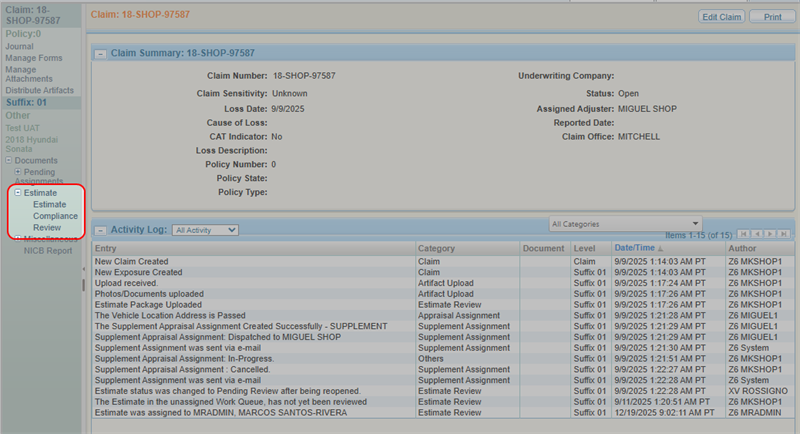
From the claim navigation pane, select Estimate > Review.
Related topics
