View and Annotate Estimate Compliance
The compliance results and comments show any warnings/failures found when checking the estimate against compliance rules in Mitchell Cloud Estimating. Compliance failures are listed by estimate line.
How to
 View an Estimate's Compliance Results Report
- Navigate to the details page of the desired estimate.
- From the claim navigation pane, select Estimate > Compliance.
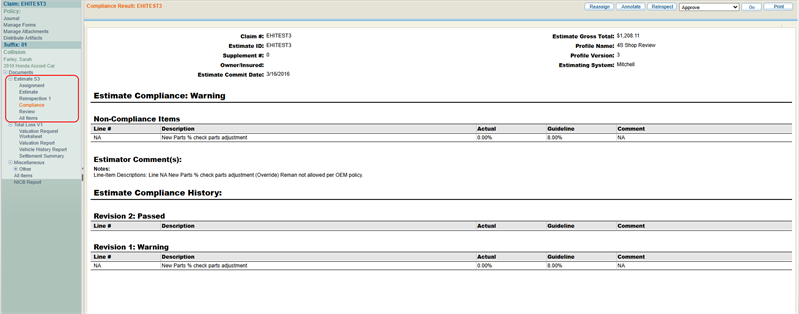
- View the compliance results on the page.
View Compliance Results from the Estimates Work Queues
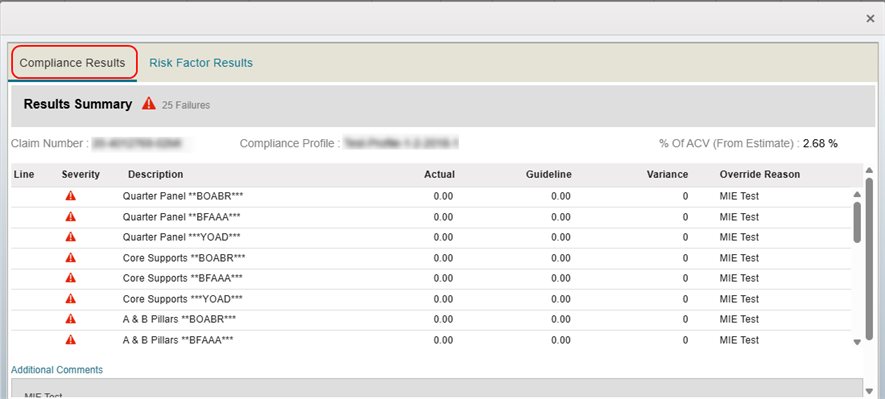
View Compliance Results to see a breakdown of compliance warnings and failures.
-
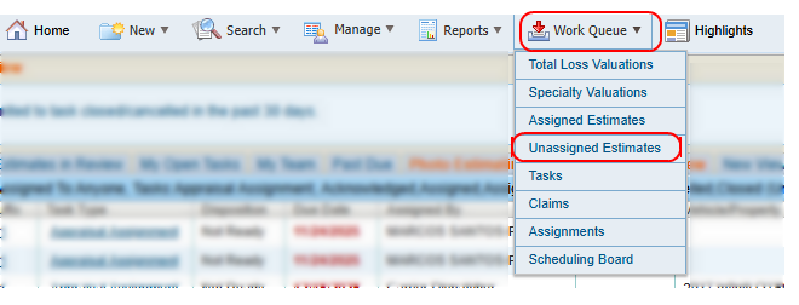
On the Work Queue menu in the navigation bar, select either Assigned Estimates or Unassigned Estimates to open the desired work queue.
-
Select the Compliance results for the desired estimate.

-
In the window, select the Compliance Results tab to view a summary of the compliance results.
View Compliance Results from the Integrated Work View
View Compliance Results to see a breakdown of compliance warnings and failures.
- On the Work Queue menu in the navigation bar, select Tasks to open the Integrated Work View page.

-
Select the Compliance results for the desired estimate.
-
In the window, select the Compliance Results tab to view a summary of the compliance results.
Annotate Estimate Compliance Lines
-
Navigate to the Review Estimate page.
- Select the Compliance tab from the tabs to the right of the estimate view.
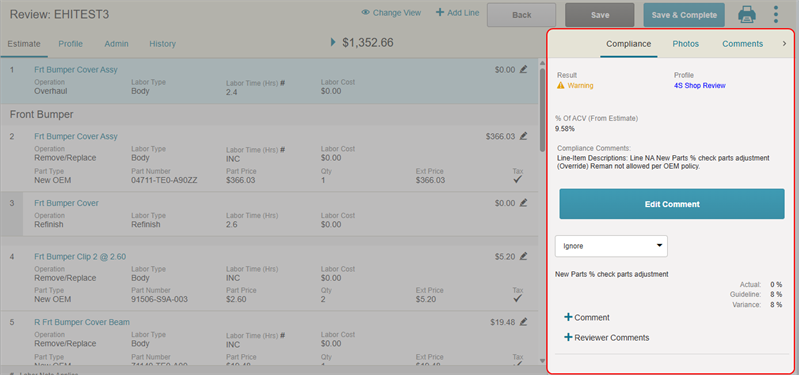
- Scroll to view the list of compliance warnings/failures.
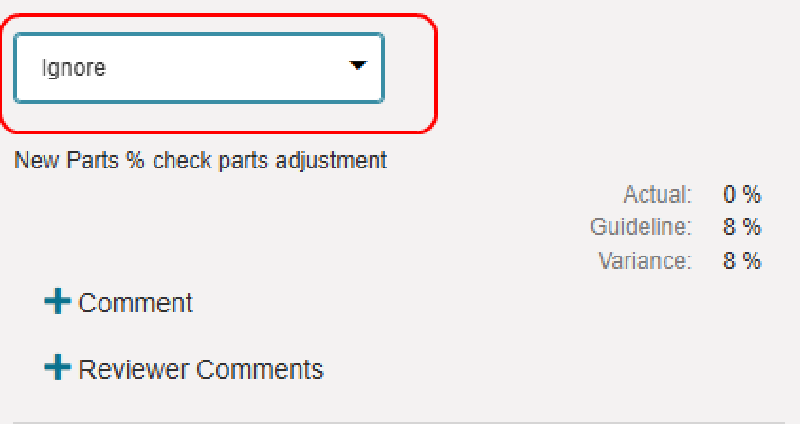
- If applicable, select the list above the line item to change its label (e.g. Comment, Warning, Error, Ignore).
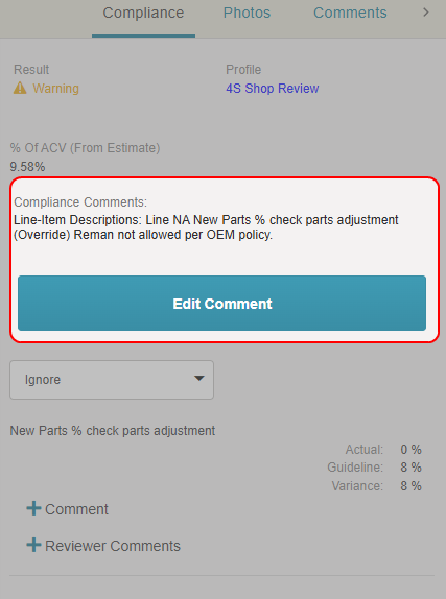
- Select Edit Comment to edit the compliance comments that apply to the estimate as a whole.
- Select + Comment on a line item to view the compliance comments associated with that item.
- Select + Reviewer Comments to add your comments on the line item's compliance.
Reference
Compliance Results Components
| Name | Description |
|---|---|
| Claim # | The Claim number. |
| Estimate ID | The estimate ID number. |
| Supplement # | The supplement version of the estimate. |
| Owner/Insured |
The first and last name of the owner/insured party in the claim. |
| Estimate Commit Date | The date the estimate was committed and sent. |
| Estimate Gross Total |
The monetary gross total for the estimate. |
| Profile Name | The name of the compliance profile the estimate was run against. |
| Profile Version | The version of the compliance profile the estimate was run against. |
| Estimating System | The system used to create the estimate (Mitchell for Mitchell Cloud Estimating). |
Compliance Severity Icons
| Name | Description |
|---|---|

|
A compliance failure. |

|
A compliance warning. |
 / / |
No warnings/failures found. |
Related topics
