Compliance Tab
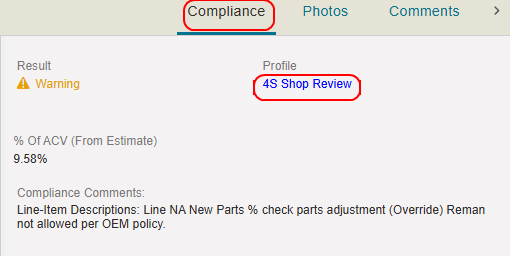
The compliance results and comments in the Compliance Tab show any warnings/failures found when checking the estimate against compliance rules in Mitchell Cloud Estimating.
How to
 View Compliance Lines
- On the Review Estimate page, select the Compliance tab.
- Select the Profile to view the Compliance Profile and rules the estimate was checked against.
Annotate Estimate Compliance Lines
-
Navigate to the Review Estimate page.
- Select the Compliance tab from the tabs to the right of the estimate view.
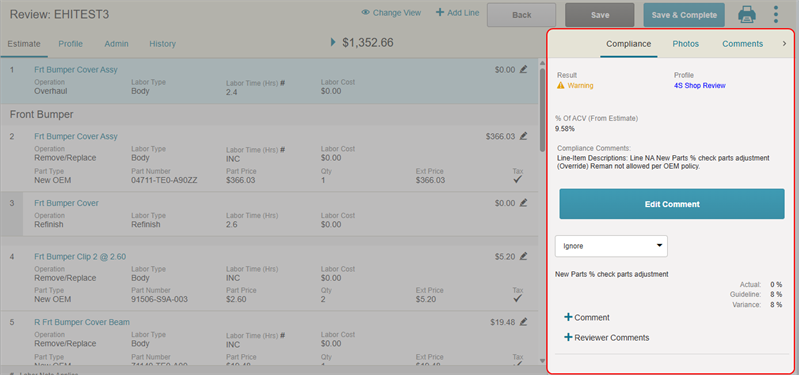
- Scroll to view the list of compliance warnings/failures.
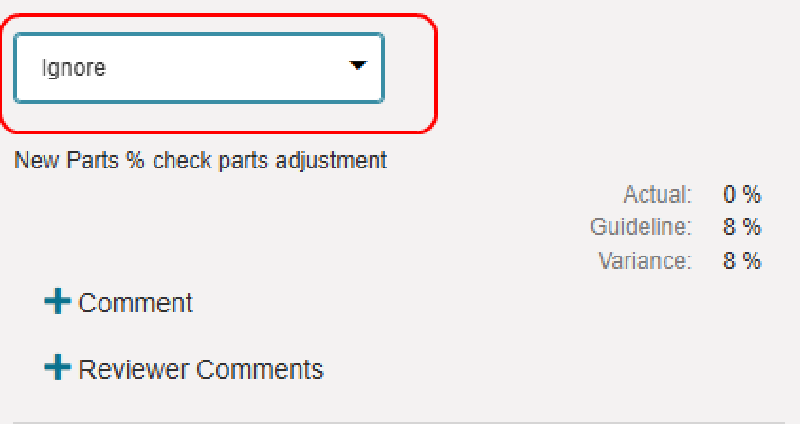
- If applicable, select the list above the line item to change its label (e.g. Comment, Warning, Error, Ignore).
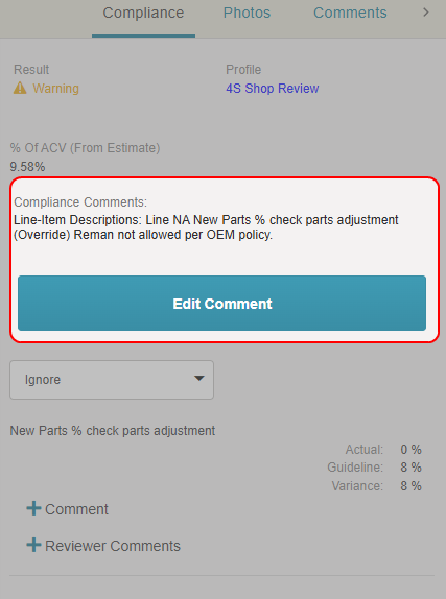
- Select Edit Comment to edit the compliance comments that apply to the estimate as a whole.
- Select + Comment on a line item to view the compliance comments associated with that item.
- Select + Reviewer Comments to add your comments on the line item's compliance.
Reference
Compliance Tab Components
| Name | Description |
|---|---|
| Result | The result of the estimate compliance check. |
| Profile | The name of the compliance profile the estimate was run against.. |
| % of ACV (From Estimate) |
The estimate Gross Total amount is shown as a percentage of the ACV (Approximate Cash Value) of the vehicle. |
Compliance Severity Icons
| Name | Description |
|---|---|

|
A compliance failure. |

|
A compliance warning. |
 / / |
No warnings/failures found. |
Related topics
