Unassign and Reassign Assignments from the Scheduling Board
After you assign work to an appraiser, you can unassign the work, or reassign the work to another appraiser from the Scheduling Board.
How to
 Use Drag and Drop to Unassign Assignments
-
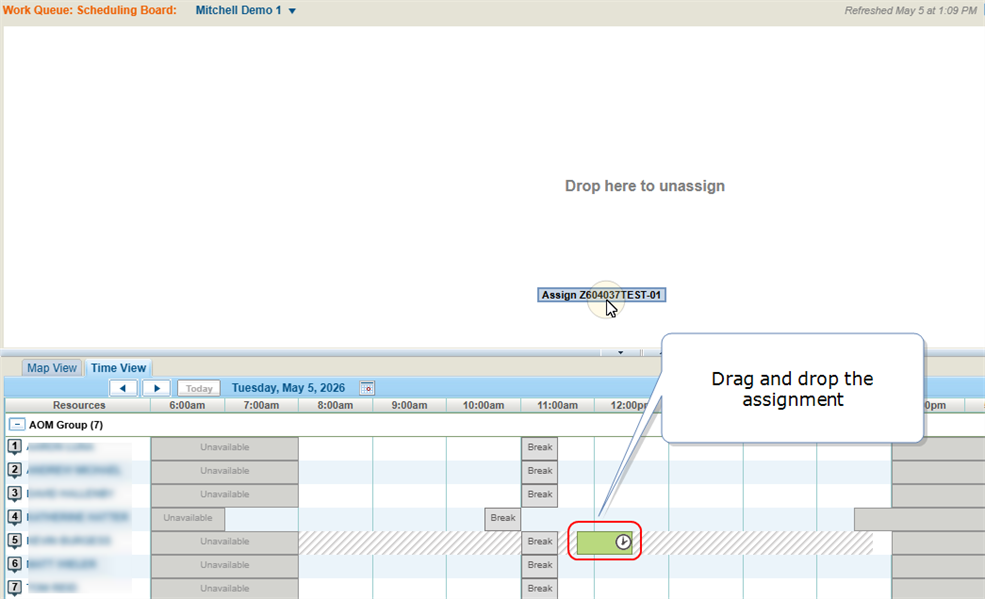
On the Scheduling Board, select the Time View tab.
-
Navigate to the desired assignment on the tab.
-
Select the assignment on the Time View tab and drag it to the Drop here to unassign area.
Unassign Assignments from the Assigned Tab
-
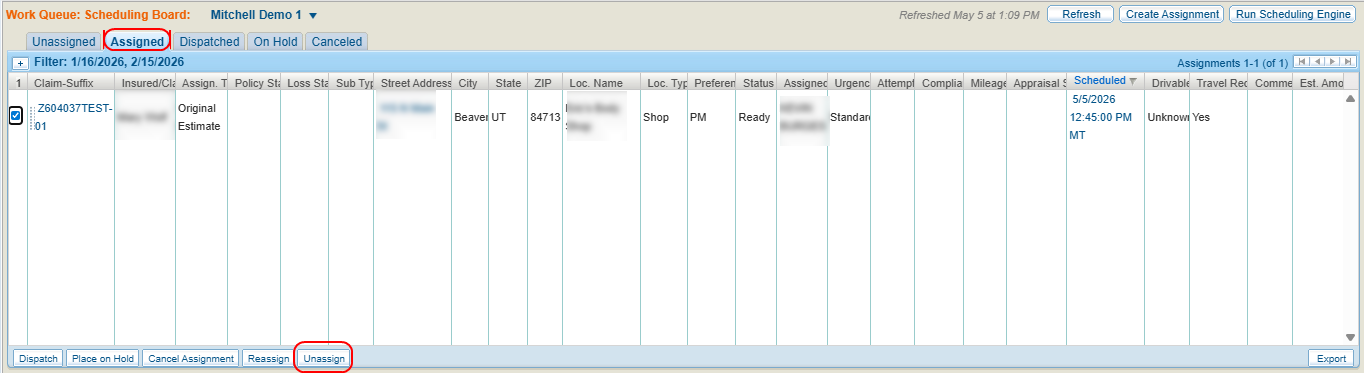
On the Scheduling Board, select the Assigned tab.
-
Select the check box(es) next to the desired assignment(s).
-
Select Unassign.
Reassign Assignments from the Assigned Tab
-
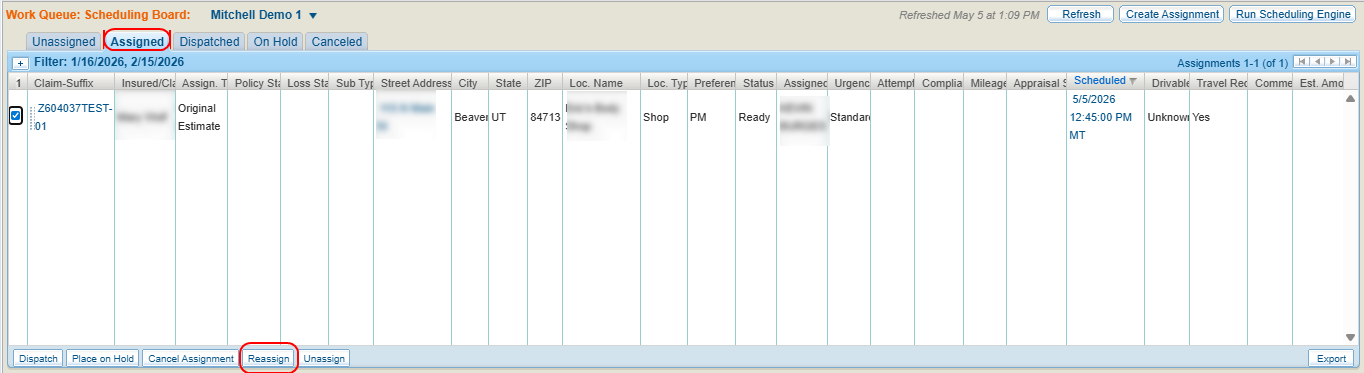
On the Scheduling Board, select the Assigned tab.
-
Select the check box(es) next to the desired assignment(s).
-
Select Reassign.
-
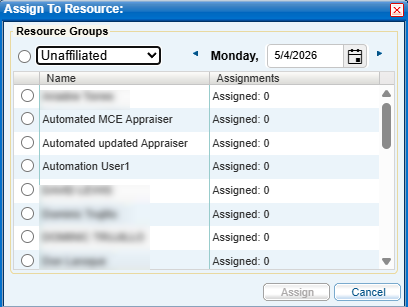
In the Assign to Resource window, select a Resource Group from the drop down list to view all appraisal resources in that group.
-
Enter a date or select
 to select a date from the calendar.
 -
Do one of the following:
-
Select a Resource Group to assign the assignment to the group rather than a specific individual.
-
Select an individual resource's name to assign the assignment.
-
-
Select Assign.
-
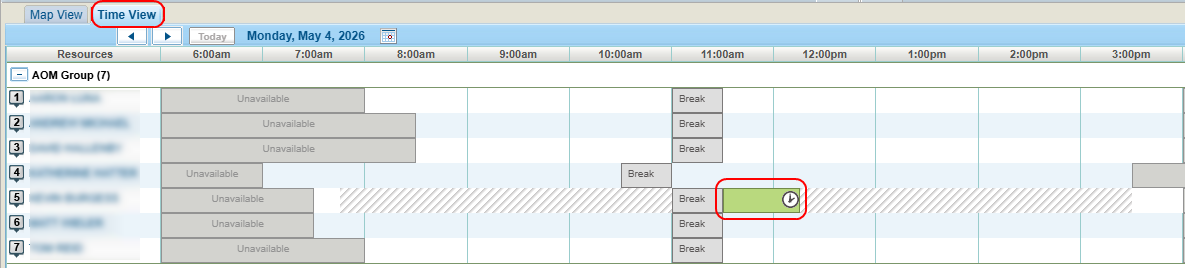
View the Time View tab to see when the assignment was scheduled.
Reference
Assignment Tab Column Components
| Name | Description |
|---|---|
| Claim-Suffix | The claim number including its suffix. Select the number to View Assignment Details. |
| Insured/Claimant / Assign. Type / Street Address / City / State / ZIP / Loc. Name / Loc. Type |
General information taken from the assignment. The Street Address is a link to the assignment on the Map View tab. |
| Status | The dispatch status of the assignment: Ready, Not Ready. You can assign an assignment that has a Not Ready status as long as it has a valid address. Once it is assigned, its status changes to Ready. |
| Assigned to |
The appraisal resource for the assignment. |
| Attempts | The number of times an assignment has been dispatched. |
| Scheduled | The date and time the appointment is scheduled. Select to view the assignment on the Time View tab. |
Related topics
