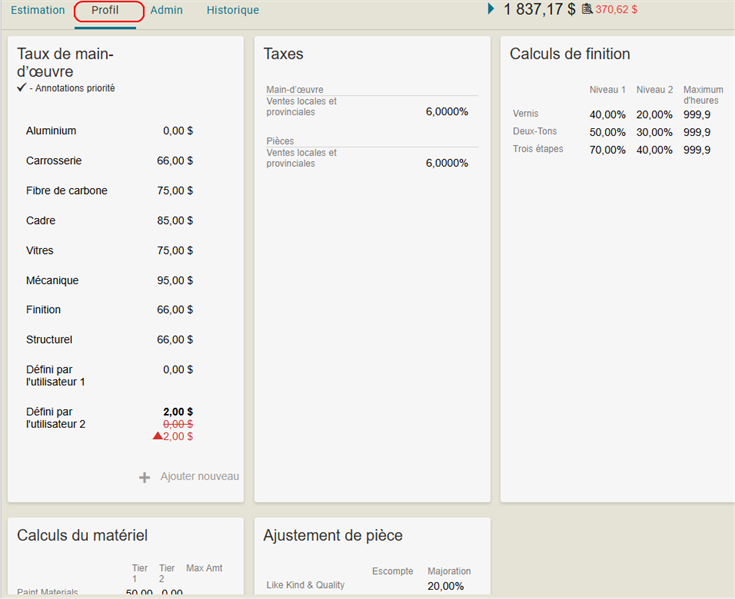
Estimate Profile Tab
The Estimate Profile tab shows information on an estimate's taxes, refinish and material calculations, labor rates, and part adjustments. Taxes and Refinish Calculations for an estimate are static, while the Labor Rates and Parts Adjustment can be edited.
How to
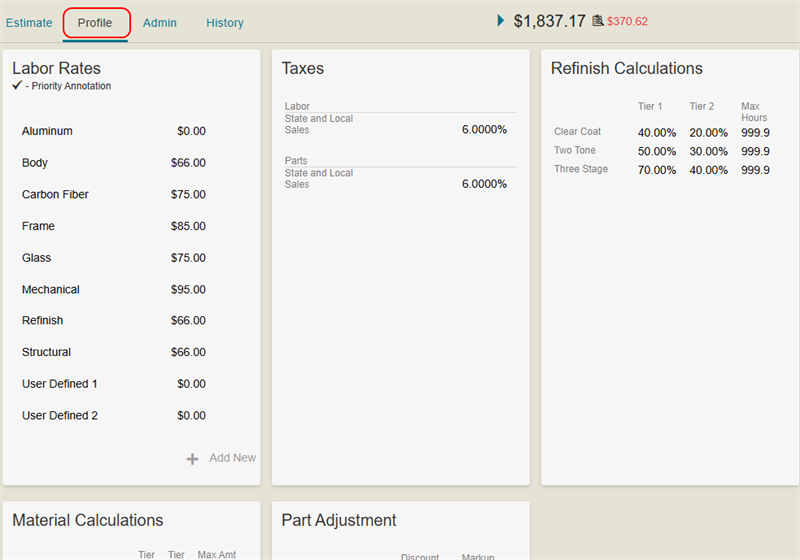
 Edit the Labor Rates
You can edit the Labor Rates section of the estimate profile.
-
On the Review Estimate page, select the Profile tab.
-
Select a Labor Rate item from the list.
-
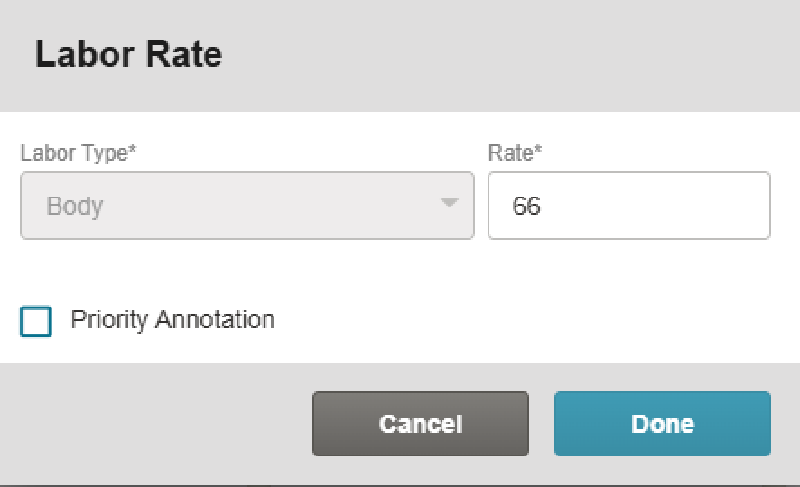
In the Labor Rate window, edit the labor rate information as necessary.
-
Select Done.
Note: Items that you edit appear in bold on the Labor Rates card.
Add a New Labor Rate to the Estimate Profile
-
On the Review Estimate page, select the Profile tab.
-
At the bottom of the Labor Rate card, select Add New.
-
In the Labor Rate window, select a labor type (e.g. Body, Frame, Glass, Mechanical, or Paintless Dent Repair) and add its rate.
-
Select Priority Annotation to flag the change as a priority. This is flagged in Mitchell Cloud Estimating with a yellow flag icon that appears at the row level.
-
Select Done.
Note: Items that you add appear in bold on the Labor Rates card.
Part Adjustment Discount and Markups
- On the Review Estimate page, select the Profile tab.
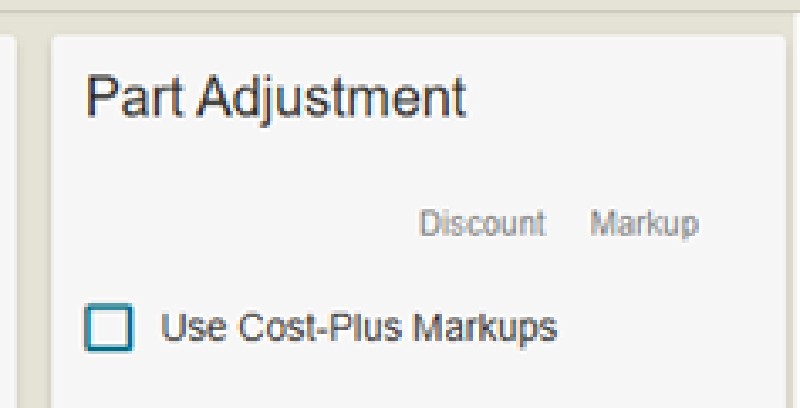
- Select the Use Cost-Plus Markups check box to apply the rates and include them in the itemized total on printouts. The rate calculations are done in Mitchell Cloud Estimating.
Related topics