Estimate Tab
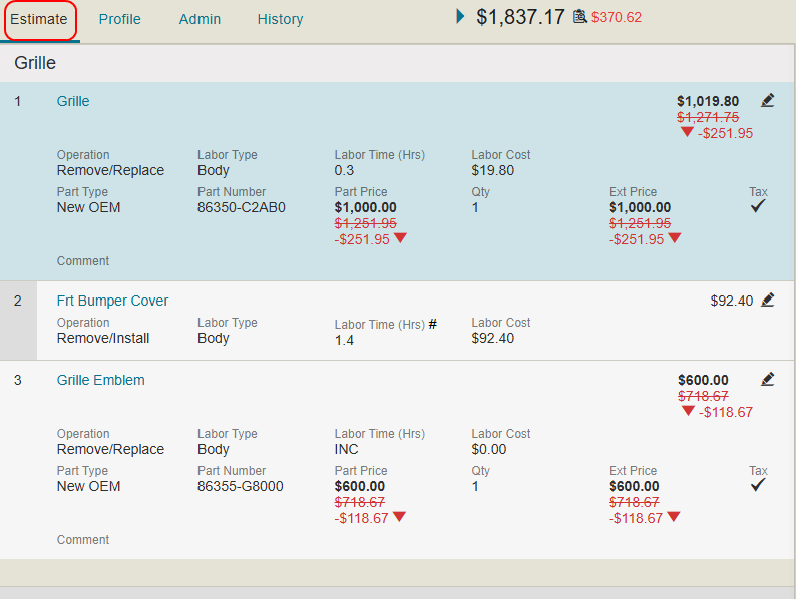
On the Estimate Tab, you can view and edit the estimate. Annotate the estimate to suggest changes before you send the estimate back to the appraiser for correction.
How to
 View Net Total Amount Breakdown
-
On the Estimate tab, view the Net Total Amount for the estimate.

-
Select
 next to the Net Total Amount to view a more detailed breakdown of the amount.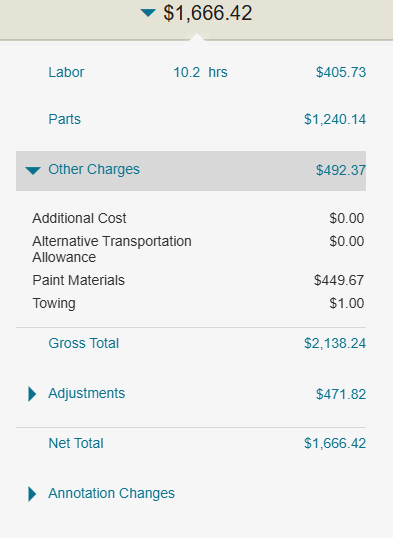
-
Select
to view the details of each section.
Edit Existing Estimate Repair Lines
- On the Estimate tab, select the line item you want to edit.
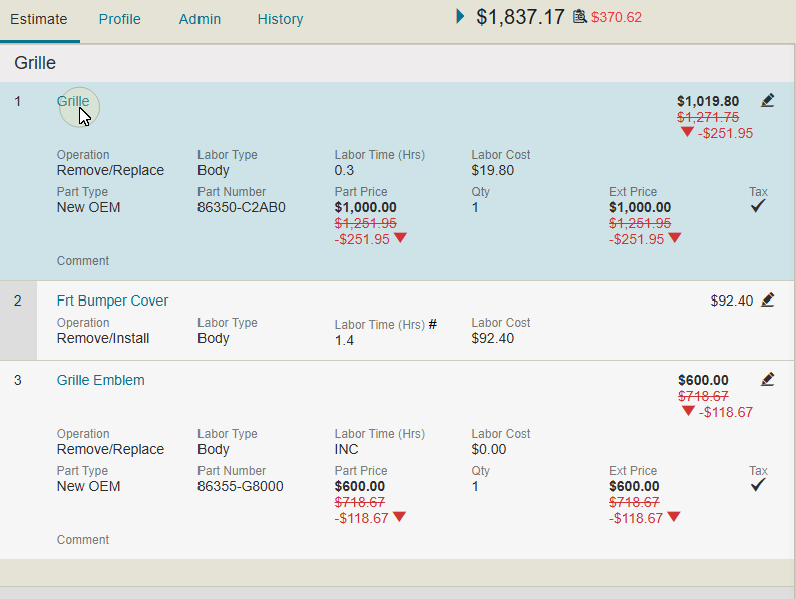
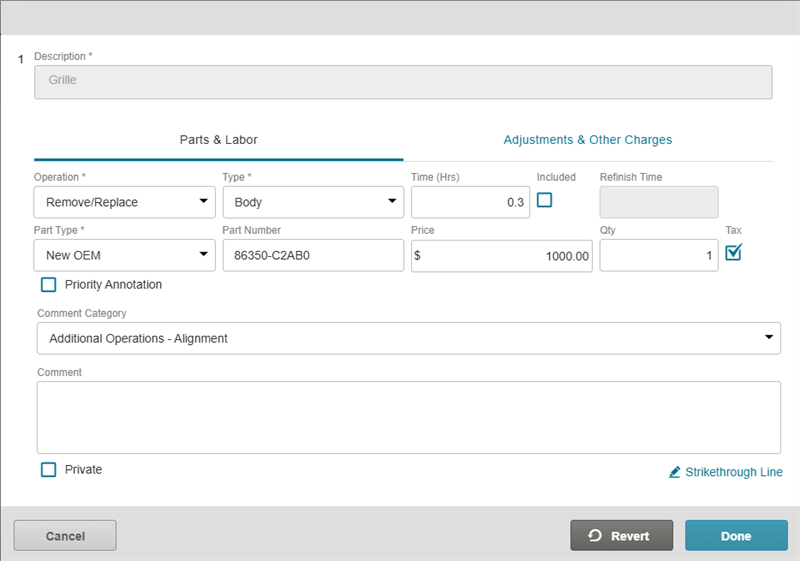
- In the Annotation window, review and modify estimate information as needed.
Add a New Repair Line to Estimate
- On the Estimate tab, select + Add Line.

- In the Annotation window, fill out the line item information as needed.
- Select Done to add the new line to the estimate.
Strike Through an Estimate Repair Line
Strike through a repair line to remove it from the review. Any lines you strike through will be sent to Mitchell Cloud Estimating as a Review Annotation line that can be accepted or rejected.
- Navigate to the details page of an estimate.
- Select Annotate.
- To the right of the line item you want to strike through, select the Strike through icon
 .
.
Strike Through an Estimate Line from the Annotation Window
Strike through a repair line to remove it from the review. Any lines you strike through will be sent to Mitchell Cloud Estimating as a Review Annotation line that can be accepted or rejected.
- Navigate to the details page of an estimate.
- Select Annotate.
- Select the desired line.
- In the Annotation window, select Strikethrough Line.
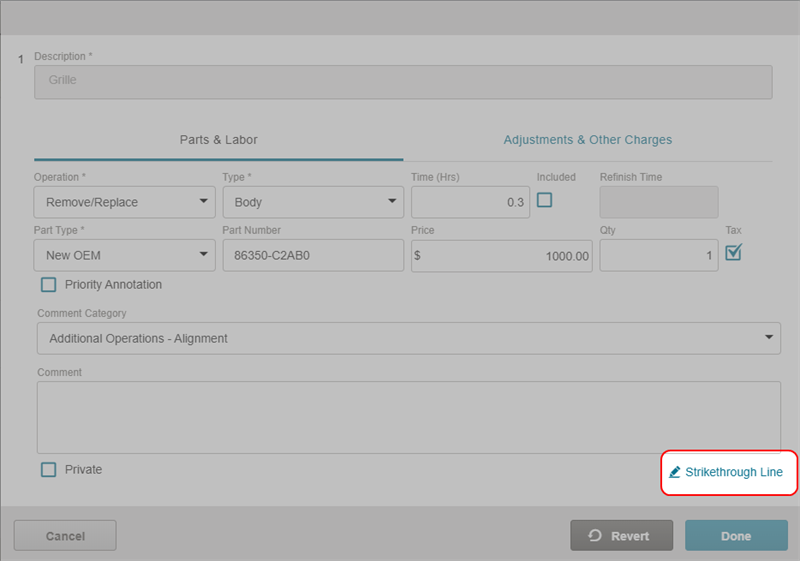
- Select Done.
Revert an Estimate Repair Line
To undo the changes you made while annotating:
- Navigate to the details page of an estimate.
- Select Annotate.
- Select the line item you want to revert.
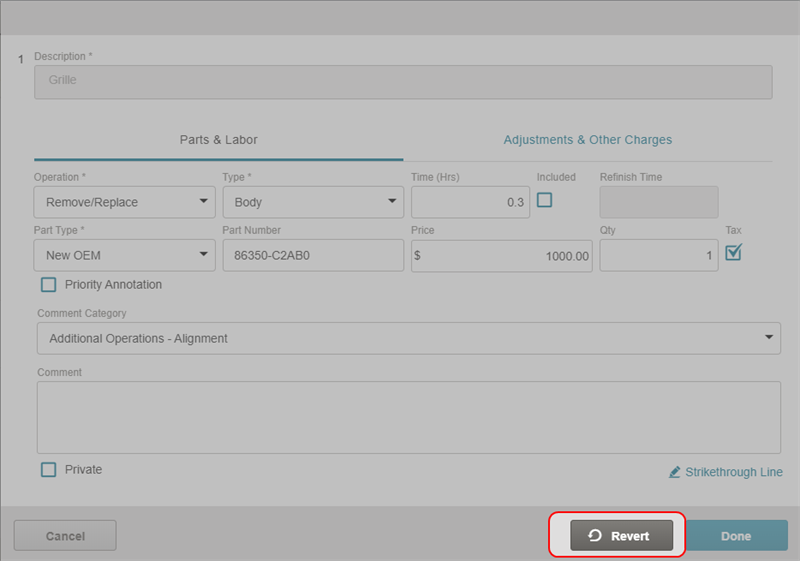
- In the Annotation window that opens, select Revert.
Change the Estimate View
- On the Estimate tab, select Change View.

- Select the check box beside the list items that you want to see in the estimate view.
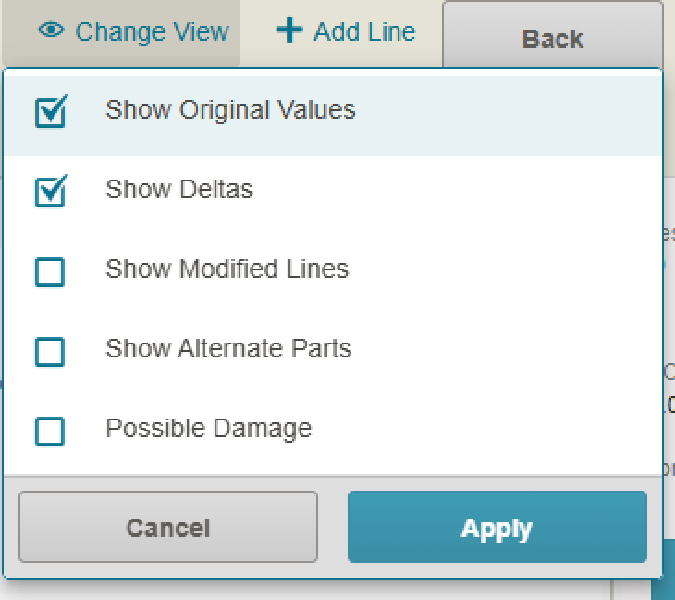
- Select Apply.
Interpret Annotation Changes
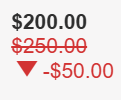
When you make changes to the estimate through annotation, the changes take the following form:
-
The original number is in red and crossed out.
-
The updated number is bold and in black.
-
The change (delta) between the two values is beside the arrow.
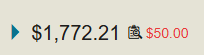
Additionally, the impact of the changes on the net total displays beside the net total in red:
Reference
Change View Options
| Name | Description |
|---|---|
| Show Original Values | Show the original value before it was changed during the annotation process. |
| Show Deltas | Show the numerical difference between the old and new values. |
| Show Modified Lines | Show only the estimate lines that have been changed. |
| Show Alternate Parts |
Show any alternate parts options for the estimate. |
| Show Possible Damage | Show the photos of the possible damage to the vehicle. |
Annotation Window: Parts & Labor Tab
| Name | Description |
|---|---|
| Operation | Select the operation from the list. |
| Type | Select the type of operation from the list. |
| Time | Enter the time for the operation in hours. |
| Included |
Select the check box |
| Refinish Time | The time allotted to refinish a panel. |
| Part Type | Select the type of part used in the operation from the list. |
| Part Number | The part number for the part used. |
| Price | The price of the part. |
| Qty | The quantity of parts. |
| Tax | Select if this part or item should be taxed. |
| View Alternate Parts | Select to view the Parts Audit List if alternate parts are available. |
| Priority Annotation | Select the check box to mark the annotation as a priority. |
| Comment Category | Select a reason for the annotation from the list. |
| Comment | Enter any additional comments to be sent to the appraiser. |
| Private | Select the check box to make the annotation private. |
Annotation Window: Adjustments & Other Charges Tab
| Name | Description |
|---|---|
| Other Charges | Select any other charges from the list. |
| Amount | Enter the charge amount. |
| Adjustment Type | Select any adjustment types from the list. |
| Amount |
Enter the adjustment amount. |
| Priority Annotation | Select the check box to mark the annotation as a priority. |
| Comment Category | Select a reason for the annotation from the list. |
| Comment | Enter any additional comments to be sent to the appraiser. |
| Private | Select the check box to make the annotation comment private. |
Estimate Version Indicators
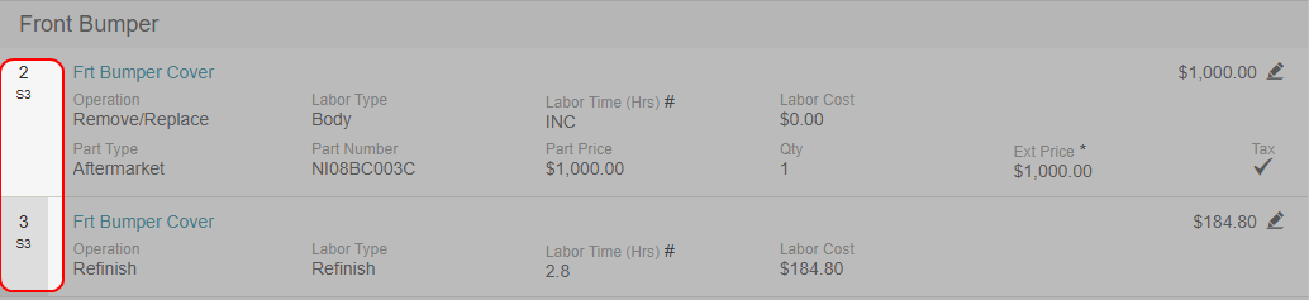
Estimate Version Indicators (D2, D3, S1D2) display next to repair line items to identify the draft or supplement version in which the lines were added or modified.
Note: If a line is modified in multiple versions, only the most recent version indicator is shown.
Related topics