Manage the Review Estimate Page
On the Review Estimate page, you can:
-
Save the changes you make during the review
-
Request supplements
-
Reassign the estimate to another reviewer
-
Print a report of the annotations you on to the estimate
-
Delete the review
How to
 Save Changes to the Reviewed Estimate
If you make changes to the estimate during your review, you must save them.

- Select Save to save your changes and continue working on the review.
- Select Save & Complete to save your changes and complete the review.
Request Supplement from the Review Estimate Page
-
Select
 in the top right corner of the page.
 -
Select Request Supplement.
-
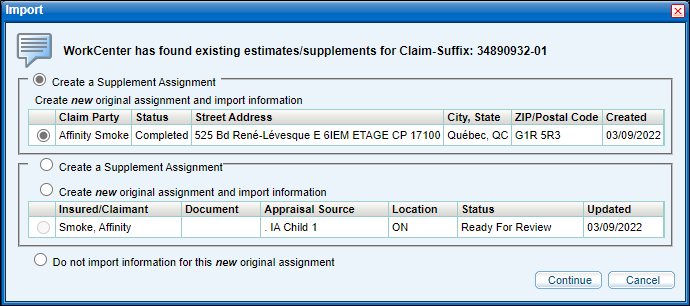
Select Continue to import existing claim-suffix information into your request.
Note: You can also select Cancel if you do not want to import any existing information. If you do this, you will have to follow the steps to create a new assignment. See Create an Assignment for more information.
-
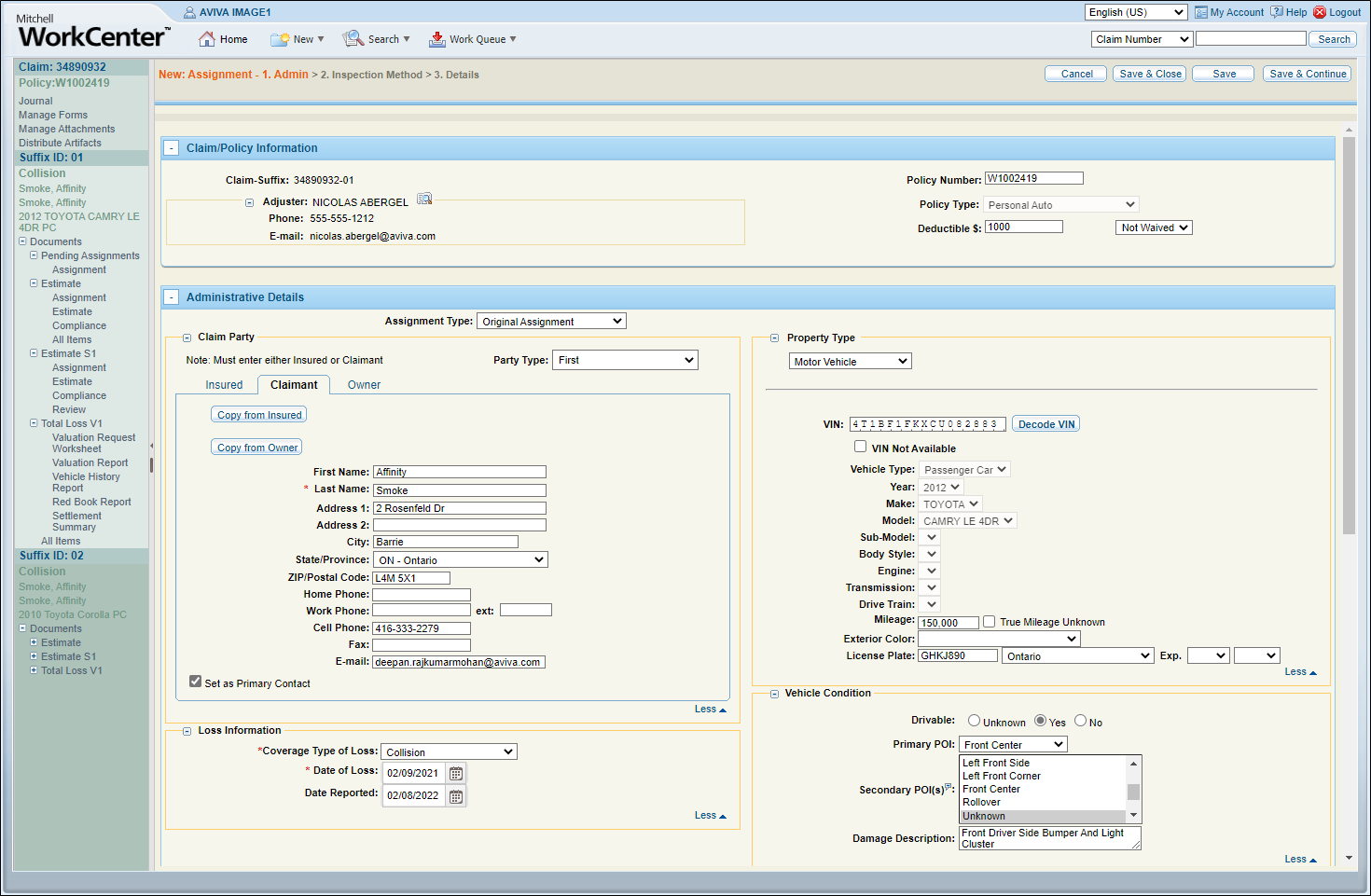
Enter/revise the claim's information as needed.
-
Select Save & Send.
Reassign the Estimate from the Review Estimate Page
-
Select
in the top right corner of the page. -
Select Reassign.
-
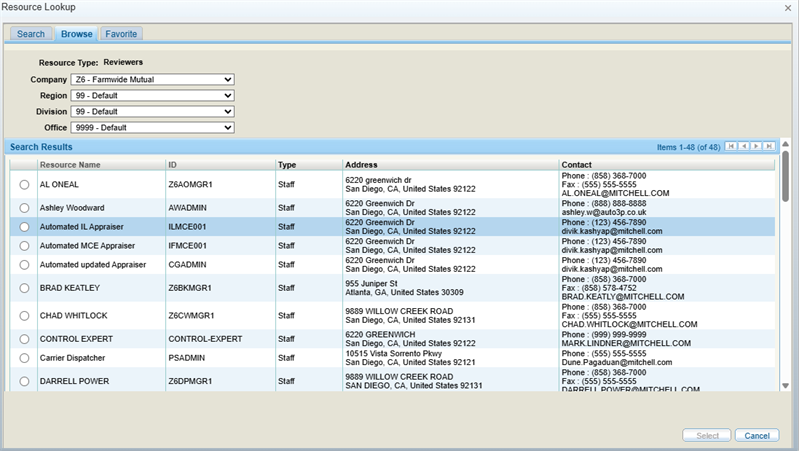
Select a review agent from the Resource Lookup window that displays. You can search for a particular agent, browse all agents, or select one from your favorites.
-
Click Select to reassign the estimate.
Change the Estimate View
- Select Change View.

- Select the check box beside the list items that you want to see in the estimate view.
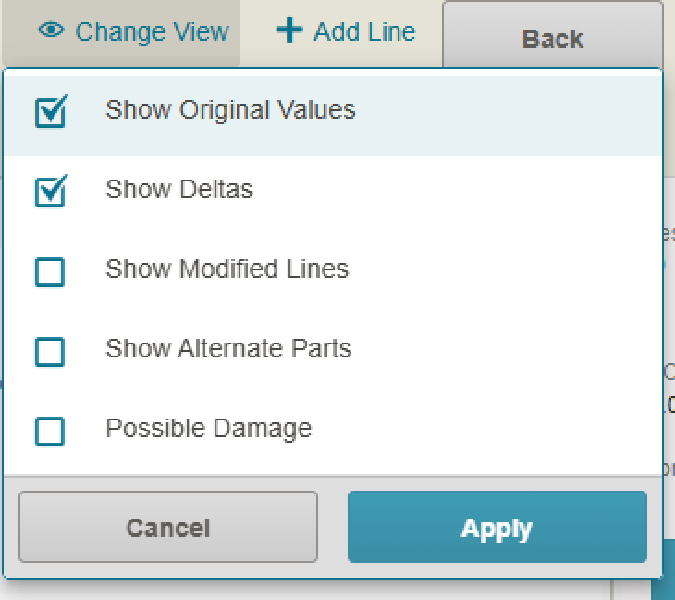
- Select Apply.
Delete the Estimate Review
-
Select
in the top right corner of the page. -
Select Delete Review.
-
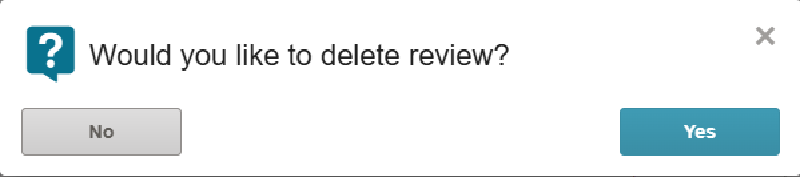
Select Yes to delete the review.
Print a Report of the Estimate's Annotations
You can print a report of an estimate's annotations from the Estimate Review page.
There are two report options:
-
Summary: Shows only the labor rates and line items in the estimate that have been annotated.
-
Detailed: Shows all labor rates and line items in the estimate, as well as annotations.
- On the Estimate Review page, select the Print icon
 .
. - Select the desired report type.
- On the report, scroll down to view details.
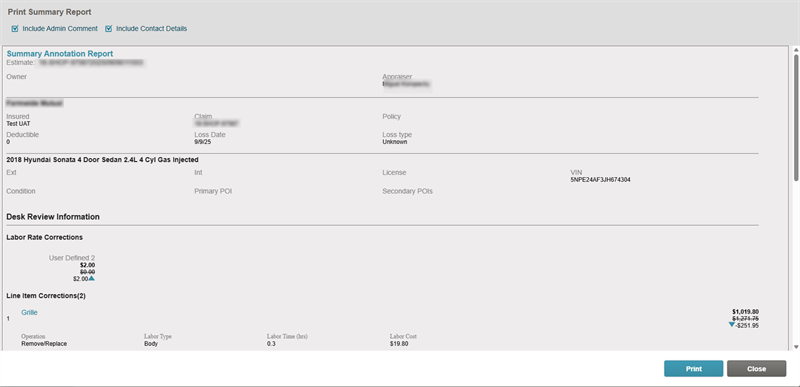
- Select Print.
Note: Select the Include Admin Comment and Include Contact Details check boxes as desired to include this content in the report.
Reference
Change View Options
| Name | Description |
|---|---|
| Show Original Values | Show the original value from before it was changed during the annotation process. |
| Show Deltas | Show the numerical difference between the old and new values. |
| Show Modified Lines | Show only the estimate lines that have been changed. |
| Show Alternate Parts |
Show any alternate parts for Remove and Replace operations. |
| Show Possible Damage | Show the photos of the possible damage to the vehicle. |
Related topics
